
A new route for surplus stock
Less Inventory. More Cash.
Stop letting excess inventory tie up your cash.
Connect with business buyers, receive offers, and turn surplus stock into working capital.
For Sellers
Prepare independently sourced surplus inventory, keep product details and stock together, and compare confidential whole-lot offers. The Seller workflow requires business verification, separate pilot eligibility and review of the sale request before bidding opens.
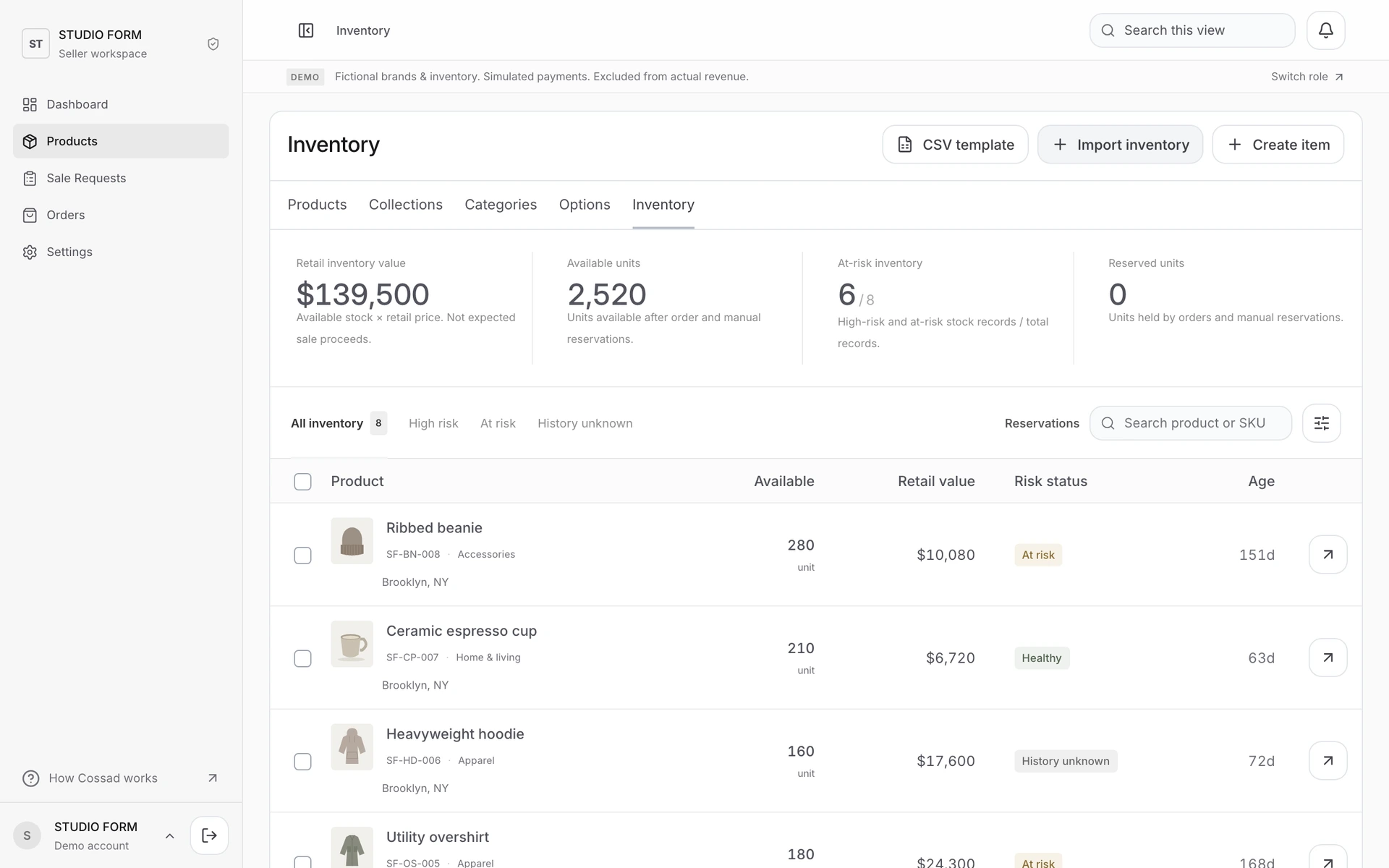
Start with the existing Inventory guide to see the actual Products list, CSV import, product details and stock controls.
Enquire about sellingFor Buyers
Review a whole lot’s photographs, condition, quantity and proposed terms before making an offer. A verified business and permitted workspace role are required for real offers. An offer does not charge a card or reserve inventory.
Contact Cossad about the inventory your business is looking for. The examples in the guide are sample data, not goods currently offered for sale.
Enquire about buyingFrom business review to a payment-ready order
The intended participation workflow follows the existing application. These steps explain its gates; they do not open trading or authorize a LIVE payment.
- Business application & review
Buyer and Seller applicants verify their email and submit business details through the protected Cossad application after access is arranged. An administrator reviews the application. Email verification alone is not business approval.
- Seller pilot eligibility
A verified Seller needs a separate pilot review for independently supplied inventory. Business approval does not automatically grant pilot eligibility, Stripe onboarding or payment access.
- Inventory preparation & sale-request review
The Seller prepares product details, actual inventory photographs, stock and a whole-lot sale request. Catalog status is separate from Marketplace eligibility. The sale request is reviewed before bidding opens.
- A private 24-hour bidding window
Eligible Buyers submit confidential whole-lot proposals during the 24-hour window. The Seller compares and negotiates after the bidding window closes. Submitting a proposal does not charge the Buyer.
- Review & final acceptance
The parties review the merchandise amount, agreed Buyer-paid shipping, separately charged tax and locked Seller fee. Eligible final acceptance creates the agreed order; a counteroffer is not accepted merely by opening it.
- An initial 35-minute inventory reservation
Final acceptance creates an initial 35-minute stock reservation for payment. The order displays the current reservation deadline. Reserved stock is not a completed sale, and acceptance is not payment confirmation.
- Payment only when the release conditions are satisfied
LIVE payment access must be separately approved and the Seller’s payment account must be ready. Payment is confirmed from verified provider processing, not a checkout success page alone. This public site does not register cards, take payments or open Seller onboarding.
Delivery follows confirmed payment
The agreed delivery arrangement follows confirmed payment. A shipping quote, label, pickup request, actual collection, carrier delivery and Buyer-confirmed receipt are separate milestones. The actual shipping route and its terms must be confirmed for each approved trade.
This site does not quote a rate, reserve a carrier, schedule a pickup or guarantee a delivery service.
See the actual Inventory interface
The five existing Inventory documents are reproduced here with their original layout, wording and full-screen sample captures. Select a screenshot to enlarge it; no product data can be entered or changed.
Ask about participation
Use the approved public participation and support address: info@cossad.com.
Sending an enquiry does not create an account, approve a business, reserve goods or authorize a payment. Please do not email identity documents, bank or card details, passwords, verification codes or API keys.